
Kick Emote Resizer
Get the perfect emote size for your Kick chat. Convert your existing emotes and animated gifs to the correct sizes before uploading to Kick, using our tool.
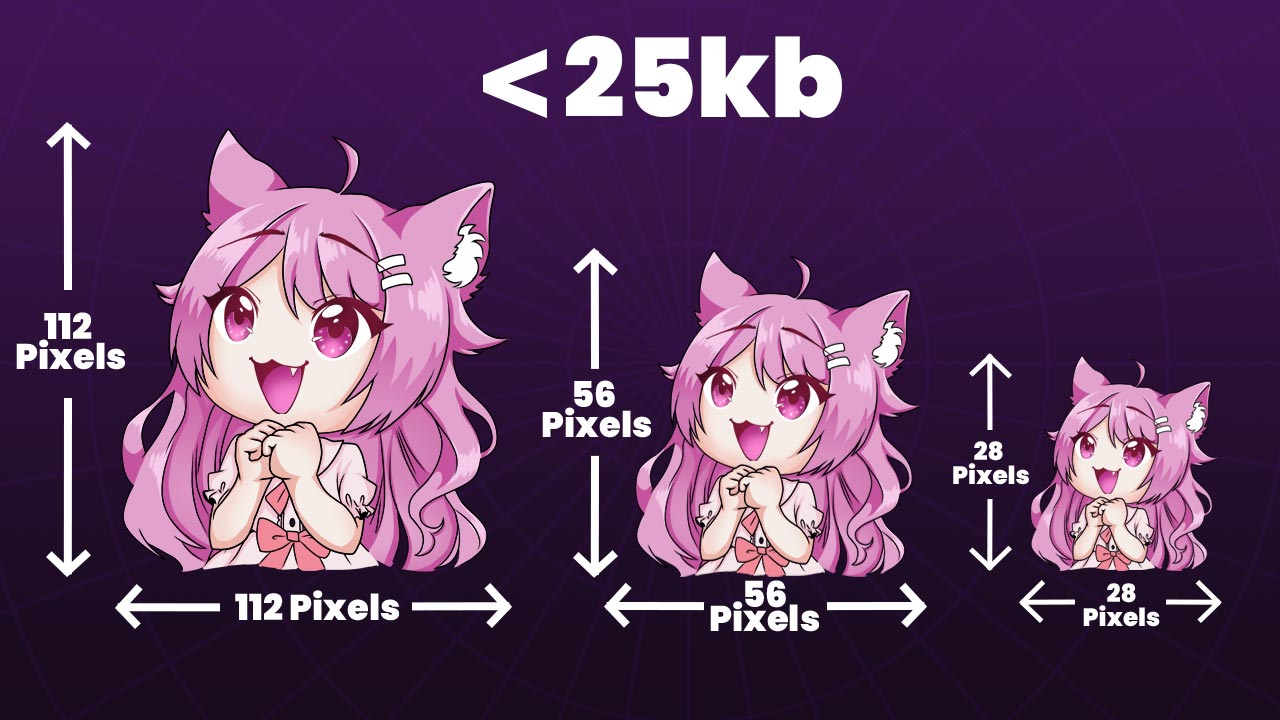
Emote Upload Requirements
To successfully resize your emotes for Kick, your source image needs to meet a few requirements.
The image must be a square, and the file size must be less than 20mb.
If parts of your emotes are transparent, then the file will also need to be a PNG file to preserve these transparency values.
Type: Kick Emotes
Dimensions: 112x112, 56x56, 28x28
File Size: 25kb
File Type: PNG/GIF
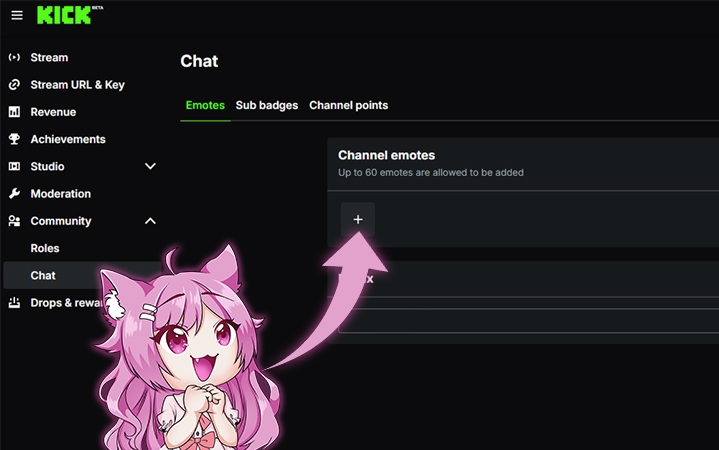
Uploading Kick Emotes
- Log in to your Kick account and go to the Creator Dashboard
- In the Creator Dashboard, select "Community" > "Chat"
- Select the "Emotes" tab
- Click "+" button to upload your emotes
Why Emotes Need Resizing
Depending on the platform you're uploading to emotes must meet certain width and height dimensions, usually measured in pixels. By resizing the emotes you remove any upload issues that you might encounter.
Another reason for resizing is that most platforms put a size limit on the images that you upload. By resizing the emotes to the appropriate dimensions you can ensure that your emotes are accepted by the platform.
Give Your Viewers Something to Spam